Transaction Page
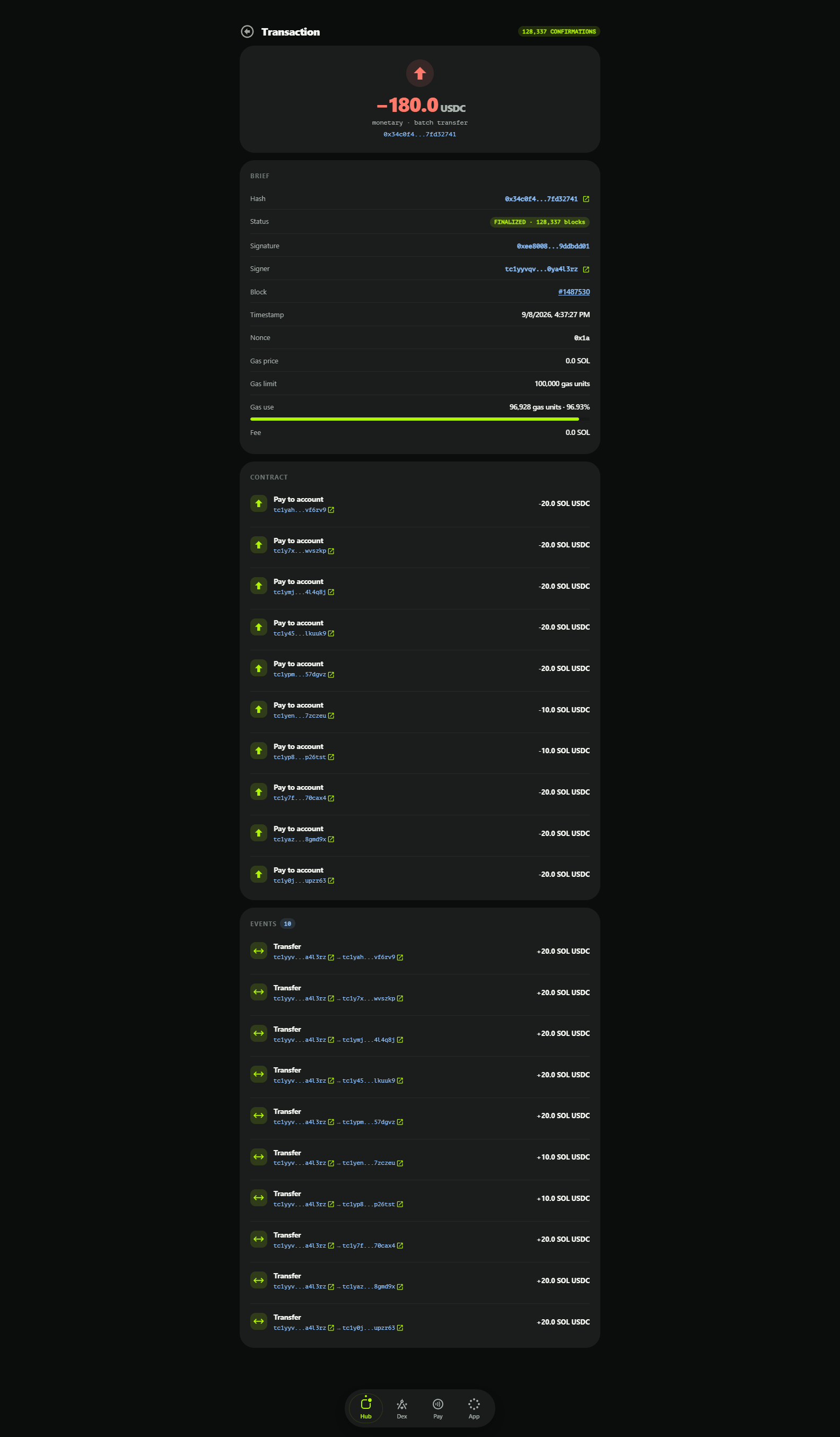
The transaction element gives a complete view of a single transaction: header badges when collapsed, a full breakdown when expanded. It is used both in the account feed and as a standalone page (/transaction/<hash>), reachable from any hash link in the explorer.
Collapsed View
Collapsed, the element shows a compact summary: the transaction hash, a status pill and the net changes it made to the account in question. Clicking the row expands it.
Expanded View
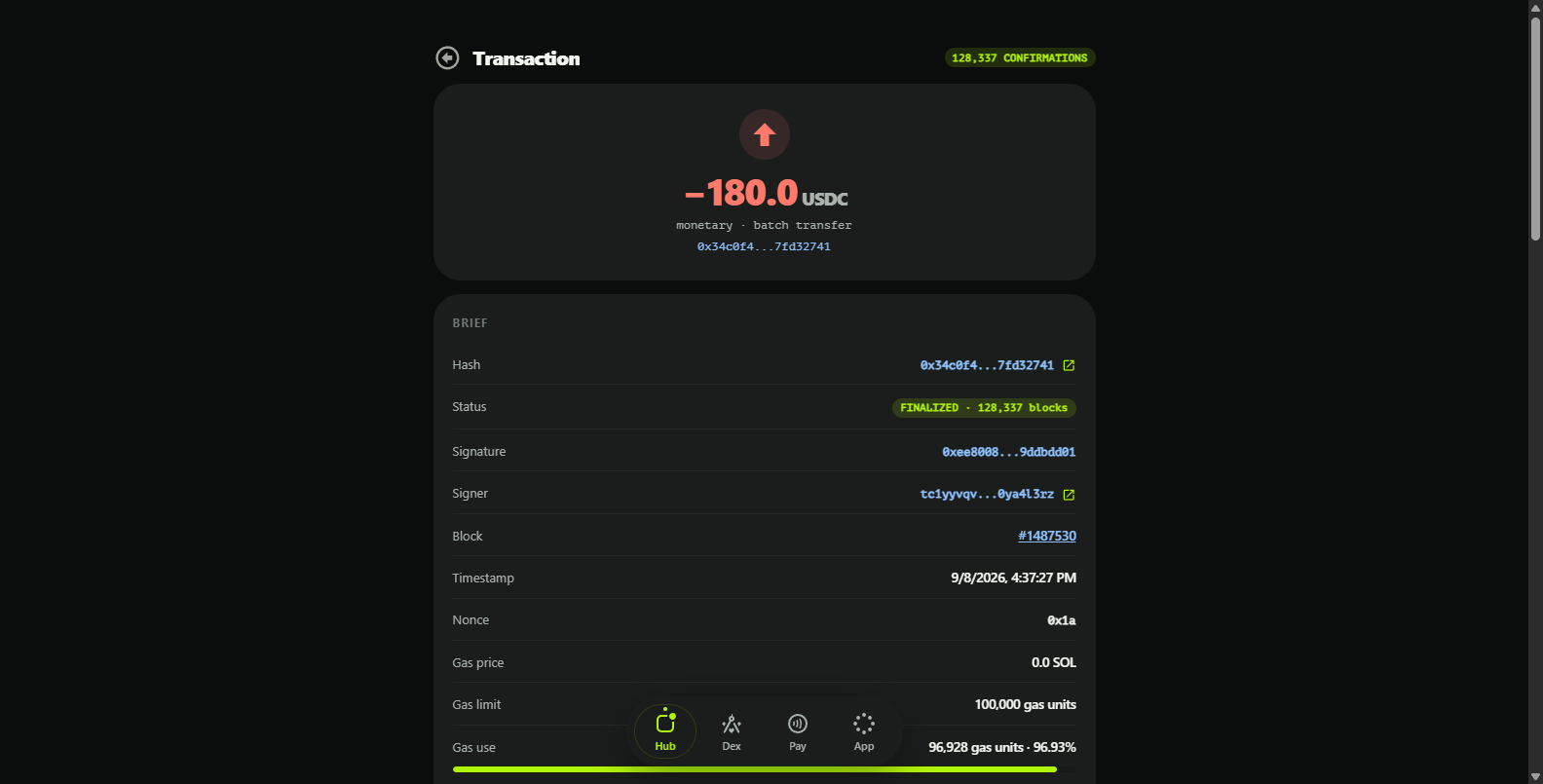
Expanded, the element reveals the full set of fields describing the transaction's attributes and execution:
Transaction Hash
A unique identifier for the transaction — its digital fingerprint, used to locate and reference it anywhere in the network.
Status
The execution result: a green SUCCESS pill for executed transactions, a red REVERTED one for failures, with the failure reason included when available.
Block
The number of the block that included the transaction; the block number is a link to its Block page.
Confirmations
How many blocks have been produced after the including block. More confirmations mean more finality.
Timestamp
The exact time the transaction was executed.
Paying Account
The account that authorized and signed the transaction — recovered from the signature itself, so it cannot be forged.
Nonce
A strictly increasing per-account counter that makes each transaction unique. It prevents replay attacks where the same payment would otherwise be valid over and over.
Gas Network
Which network's token is used to pay the transaction fee — for bridged assets this can be a chain other than Tangent.
Gas Price
The price per unit of gas, in the gas asset. Gas prices move with network demand and congestion.
Gas Limit
The maximum amount of gas the transaction may consume — a user- or app-set ceiling against runaway costs.
Gas Use
The gas actually consumed during execution; never more than the limit.
Fee Paid
What was actually charged: gas price × gas use.
Signature
The cryptographic signature authorizing the transaction.
Calldata Section
The calldata section shows the raw payload of the transaction — the encoded call and its arguments. Its meaning depends on the transaction type (transfer, setup, vault operation, contract call), and the hex can be copied for external inspection.
Event Log Section
The event log lists every event the transaction emitted, in order: state changes and notices other contracts and users react to — transfers, order fills, vault movements. Together with the calldata this makes a transaction fully auditable.